MQTTX 1.12.1 Released: SCRAM Authentication & Enhanced Security

MQTTX 1.12.1 is now officially available!
This version delivers a focused security update with SCRAM-enhanced authentication across all platforms, fixes for XSS vulnerabilities in payload display, updated 2025 AI models, and critical stability improvements—hardening production and testing deployments against modern security threats.
Download the latest version here: https://mqttx.app/downloads
SCRAM Enhanced Authentication
MQTTX 1.12.1 introduces full support for SCRAM (Salted Challenge Response Authentication Mechanism) enhanced authentication in MQTT 5.0, now available across Desktop, CLI, and Web platforms.
SCRAM provides cryptographic password security without sending credentials in plaintext, thereby protecting against replay attacks through the use of unique session nonces and salts.
Enable SCRAM in EMQX
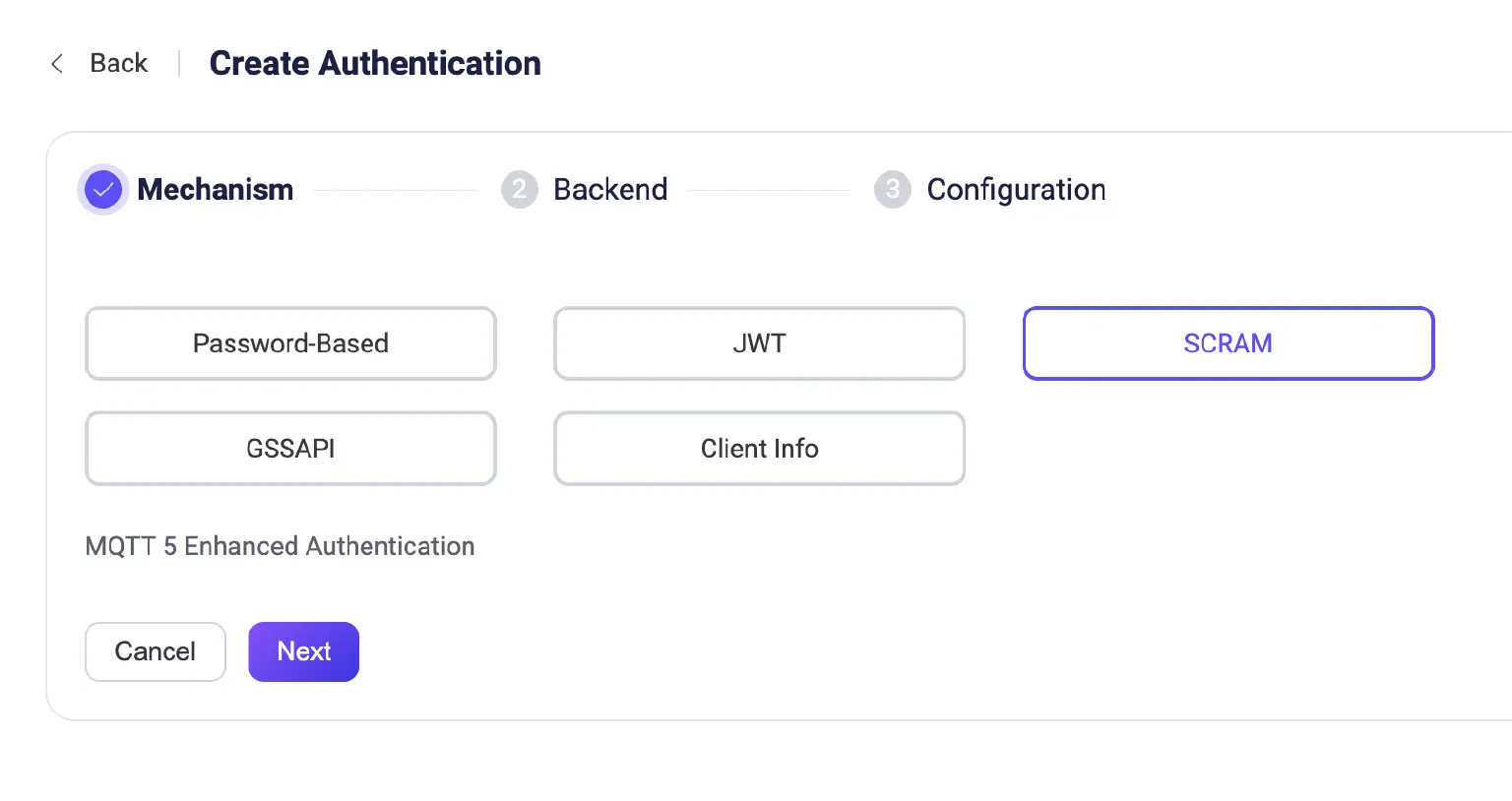
Before using SCRAM in MQTTX, you need to enable it on your MQTT broker. In EMQX:
- Navigate to Authentication settings
- Create a new authenticator and select SCRAM as the authentication mechanism
- Configure your user database (built-in Database or HTTP-Server)
- Select your hash algorithm (sha256 or sha512)
- Add users with their credentials

Setup: Desktop & Web
- Open connection settings
- Select the MQTT 5.0 protocol (the default)
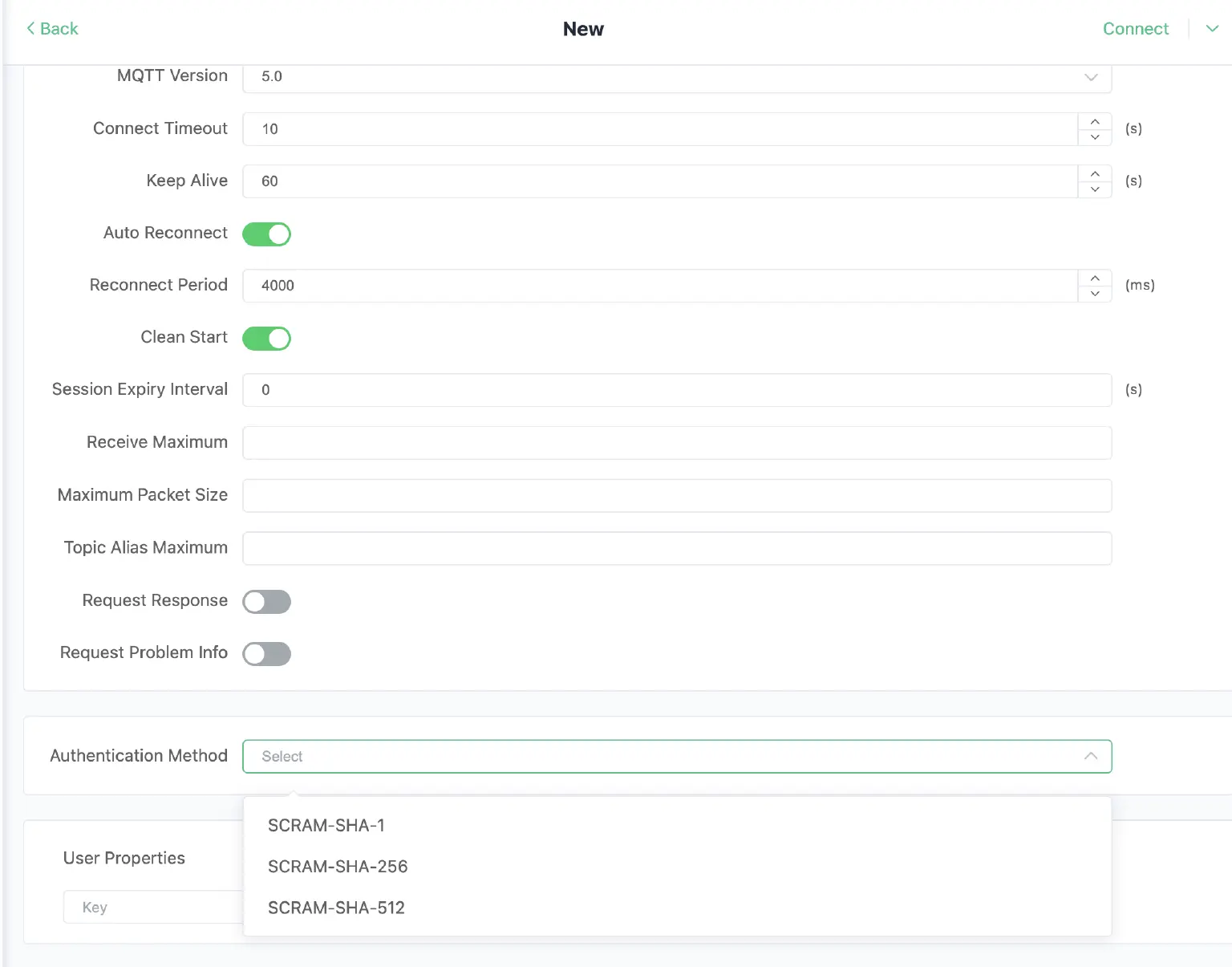
- In the Authentication section, choose SCRAM as your authentication method
- Select your hash algorithm:
- SCRAM-SHA-1: Broader compatibility with older brokers
- SCRAM-SHA-256: Balanced security and performance (recommended)
- SCRAM-SHA-512: Maximum security for sensitive environments
- Enter username and password
- Connect—MQTTX handles the challenge-response flow automatically
Setup: CLI
Use the new -am or --authentication-method parameter when connecting:
# Connect with SCRAM-SHA-256 (recommended)
mqttx conn -h broker.emqx.io -p 1883 -am SCRAM-SHA-256 -u username -P password

# Use SCRAM-SHA-512 for high-security environments
mqttx sub -t 'sensor/#' -h broker.emqx.io -am SCRAM-SHA-512 -u admin -P secure_pass

# SCRAM-SHA-1 for legacy broker compatibility
mqttx pub -t 'device/data' -m 'hello' -am SCRAM-SHA-1 -u device01 -P device_password
SCRAM is especially valuable for production deployments where password storage and network interception are concerns, and it integrates seamlessly with EMQX and other MQTT 5.0 brokers that support enhanced authentication.
Security: XSS Vulnerability Fixed
This release addresses a potential XSS (Cross-Site Scripting) vulnerability in the display of payload messages. Previous versions could render malicious HTML or JavaScript embedded in MQTT payloads, potentially exposing users to code injection attacks.
What Was Fixed:
All incoming message payloads are now properly escaped before rendering. Messages containing HTML tags, <script> blocks, or event handlers are displayed as plain text rather than being interpreted by the browser.
Impact:
If you're working with MQTT brokers in untrusted or multi-tenant environments where message content isn't fully controlled, upgrading to 1.12.1 is strongly recommended.
AI Model Updates
Copilot now supports the latest 2025 AI models:
- OpenAI: GPT-5, GPT-5-mini, GPT-5-nano
- Anthropic: Claude Opus 4.1, Claude Sonnet 4.5
- xAI: Grok 4 series (stable versions)
- Google: Latest Gemini models
Switch models based on your task—use faster variants for quick scripting, or more capable models for complex protocol issues and analysis.
Desktop Improvements
Streaming Export
Large message history exports now use streaming writes instead of loading everything into memory, preventing crashes and freezes when exporting thousands of messages.
Better UX Polish
- Long Host Names: Connection names with lengthy broker addresses now display with ellipses and show the full text in a tooltip when hovered.
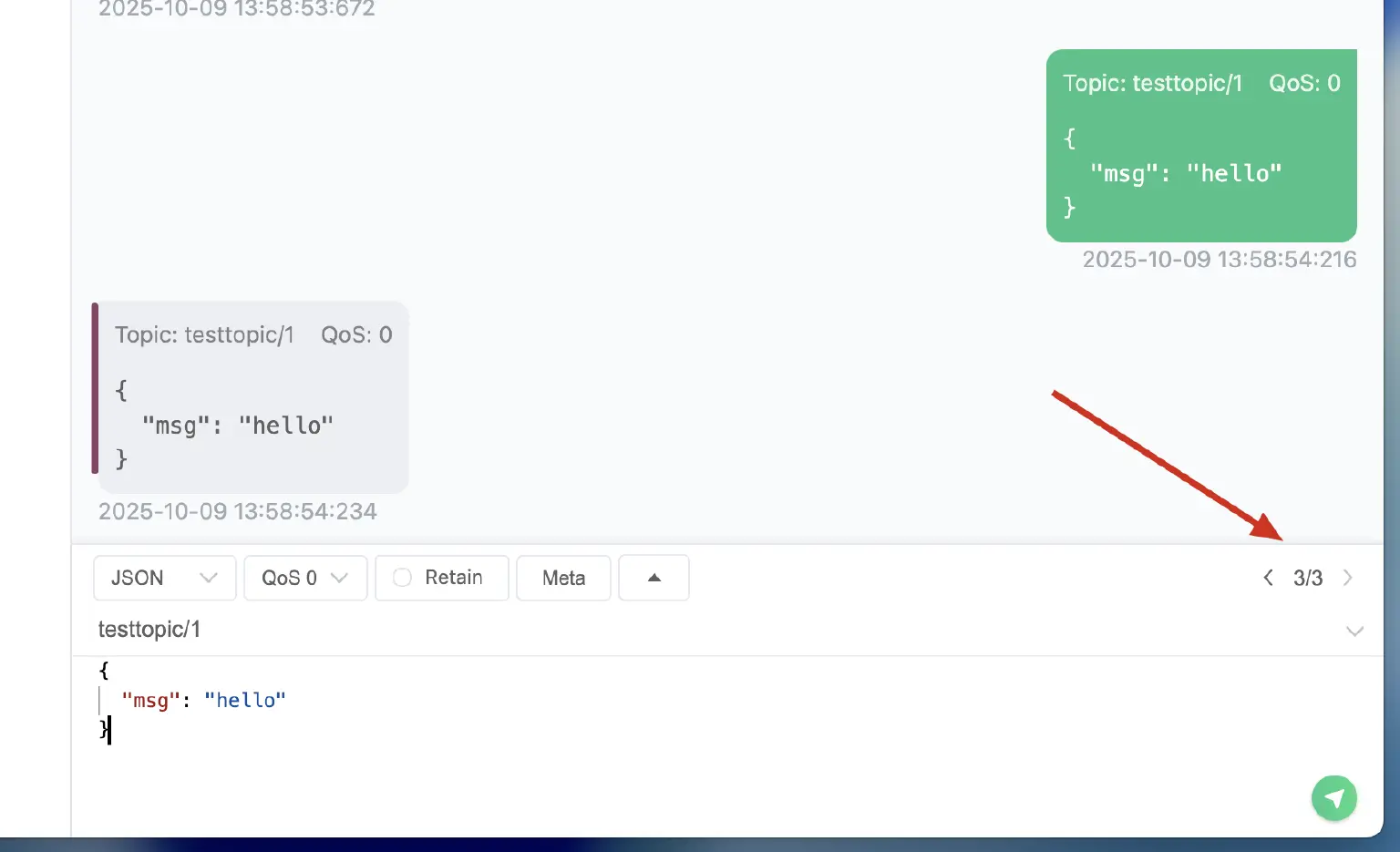
- Payload Navigation: History forward/backward buttons have been reorganized for more intuitive browsing through previous payloads.
- Search Highlighting – Fixed logic to properly handle payload highlighting even when search parameters are empty or contain special characters.
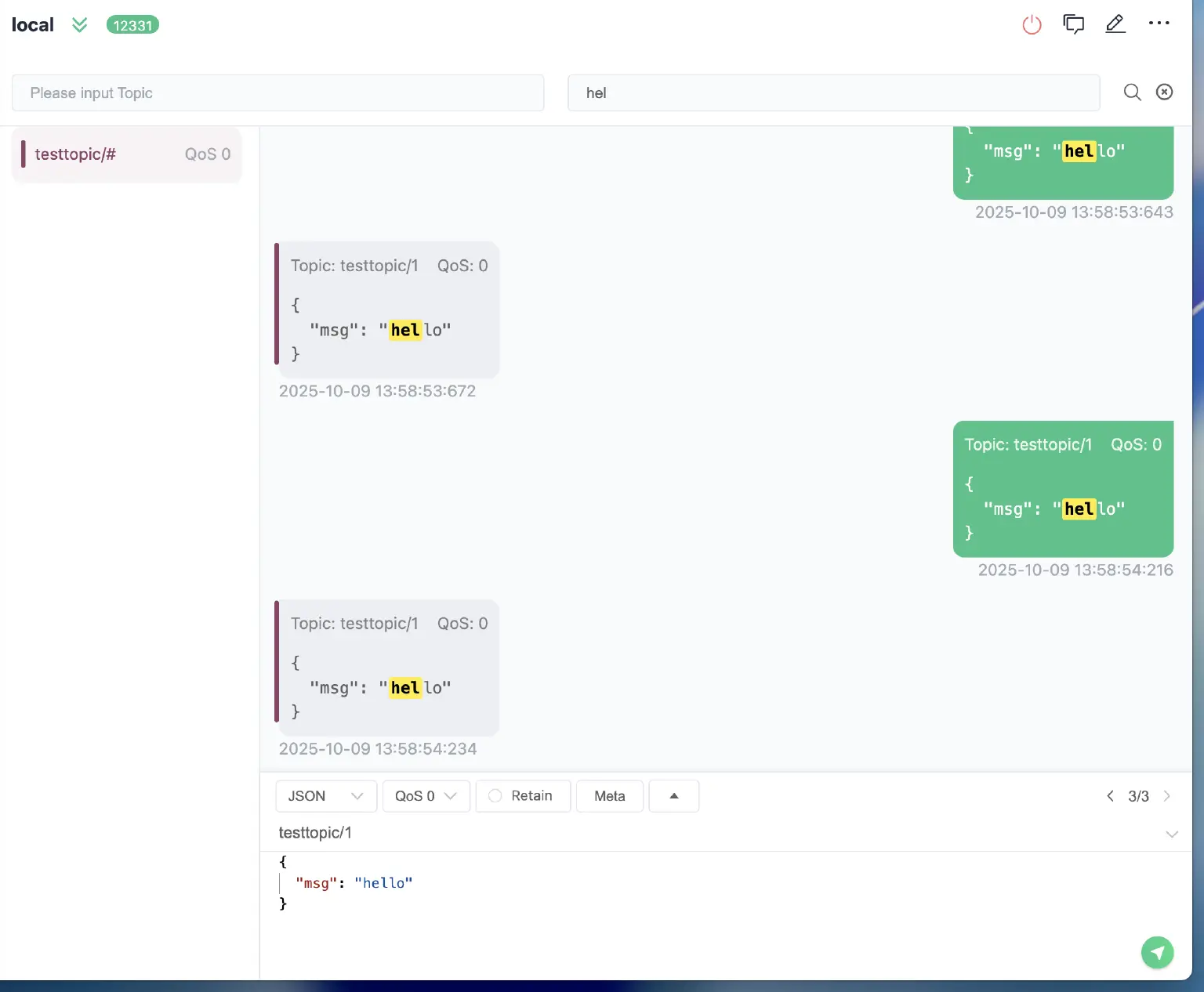
Display Fixes
- Window Restoration: MQTTX no longer crashes when reopening on a display that has been disconnected (external monitor unplugged, laptop closed).
- Windows Path Handling: Unified app data path logic fixes the
%APPDATA%redirect issue that caused settings to reset on some Windows installations. - User Properties: Fixed display bug in Topics Tree where custom User Properties (MQTT 5.0) weren't rendering correctly.
- Linux Icon: App icon upgraded to 512×512 resolution for sharper appearance in modern desktop environments.
Roadmap
- MQTTX 2.0 Refactor is in progress.
- MCP over MQTT support.
- AI Agent Mode for Desktop and CLI.
- Payload Chart Visualization Enhancement - MQTTX Viewer:
- Diff View: Compare different messages or payloads easily.
- Dashboard View: Offer a customizable overview of MQTT activities for personalized insights.
- JSON View: Improve handling and display of JSON-formatted data.
- System Topic View: Specialized view for system-related MQTT topics.
- Support for Configurable Disconnect Properties (MQTT 5.0): Enhance connection management with customizable disconnection settings.
- IoT Scenario Data Simulation: Integrate this feature into the desktop client to simplify IoT scenario testing.
- Sparkplug B Support: Extend MQTTX functionalities to include support for Sparkplug B.
- MQTT GUI Debug Functionality: New features to aid in debugging MQTT communications.
- Plugin Functionality: Introduction of a plugin system supporting protocol extensions like CoAP and MQTT-SN.
- JSON Schema: Encoding and decoding capabilities for JSON Schema.
- Script Test Automation (Flow): Simplify the creation and management of automated testing workflows.