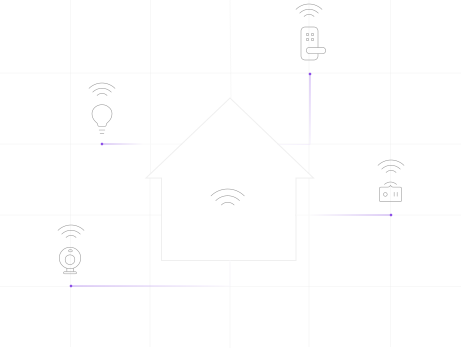
Responsive device control
Exchange compact status updates and commands to keep lights, sensors, and switches responsive.
EMQX FOR SMART HOME
Deliver responsive control, coordinated home automation, and timely security alerts with EMQX over MQTT.
Trusted by smart home innovators



Why MQTT
Connect home devices, automation services, and AI agents with lightweight MQTT messaging for responsive control and smarter automation.
Exchange compact status updates and commands to keep lights, sensors, and switches responsive.
Connect devices and applications through MQTT topics so automation can evolve without direct links between every system.
Use MQTT over QUIC with compatible clients to reconnect faster and keep device connections resilient on unstable networks.
Architecture
Connect devices, applications, and agents through MQTT, with local components where home automation needs them.
EMQX Cluster
EMQX Node 1
EMQX Node 2
EMQX Node 3
EMQX Node N
Publish status and sensor readings from compatible devices or gateways to MQTT topics.
Use EMQX to distribute updates and apply SQL-based rules for filtering, transformation, and routing.
Route device data to supported storage and analytics systems, and connect applications for remote access.
Capabilities
Build a shared messaging layer for device updates, automation services, and remote access.
Distribute device connections across a broker cluster as your installed base grows.
Use clustered deployment to reduce disruption to device messaging when a broker node fails.
Filter, transform, and route device messages to the applications that implement your home automation logic.
Connect databases and backend services through supported connectors. Integrate assistants and other platforms through your application layer.
Combine local components with cloud services for local automation and remote access.
Encrypt connections, authenticate clients, and restrict topic access for devices and applications.
Applications
Turn device data into responsive lighting, climate control, security alerts, and energy insights.
Share motion events, schedules, and lighting commands with home automation applications.
Feed temperature readings into applications that monitor comfort and adjust HVAC settings.
Send door, window, and other sensor events to authorized monitoring and notification services.
Coordinate lighting, shades, and media systems through application-defined scenes and commands.
Exchange data between compatible devices and bridge other ecosystems through gateways or applications.
Collect usage data from smart plugs and appliances to identify consumption patterns and potential savings.
Customer story
Learn how Signify (formerly Philips Lighting) uses EMQX to power its global smart lighting solutions, ensuring reliable, real-time control for millions of connected lights worldwide using MQTT.
Read the full storyCustomer story
Discover how FoloToy leverages EMQX Platform to power a unified device access system for AI toys, enabling real-time interactions and device management across global markets.
Read the full storyResources
FAQ
A broker receives messages from devices and applications and routes them to matching subscribers. It provides a shared communication layer for device status, sensor readings, and commands.
MQTT has low messaging overhead and supports two-way communication through topics. QoS and session settings help applications handle reconnecting devices.
MQTT uses persistent connections and publish-subscribe messaging, which suits frequent updates sent to multiple recipients. HTTP uses request-response communication and remains useful for APIs, downloads, and other application tasks.
Choose a self-managed EMQX deployment or EMQX Cloud, connect a test device, and configure topics, authentication, and permissions. Check the licensing and deployment options for your project.
Use TLS to encrypt connections, authenticate each device or application, and restrict its publish and subscribe permissions to the MQTT topics it needs. Configure these controls in EMQX to help protect device data and commands.
Plan device connectivity, automation integrations, and deployment with an EMQX expert.