EMQX Cloud Update: NATS Gateway, Google Cloud for EMQX Tables, London Region, and More

We're excited to introduce the latest version of EMQX Cloud, now available with several powerful new capabilities.
This update brings multi-protocol support with the new NATS Gateway, a major expansion for EMQX Tables onto Google Cloud, a new Dedicated Flex region in London, simplified billing with annual subscriptions for value-added services, and a new Explain Query feature in the Tables Data Explorer to help you optimize your time-series queries.
NATS Gateway: Connect NATS Clients to Your MQTT Ecosystem
EMQX Cloud now supports a NATS Gateway, allowing NATS clients to communicate bidirectionally with MQTT clients, all through a single managed broker.
This is valuable for teams that run mixed protocol environments: for example, backend microservices communicating over NATS, while IoT devices connect over MQTT. Previously, bridging these two worlds required custom middleware. With the NATS Gateway, messages flow natively between both protocols with no glue code needed.
What the gateway supports:
- Full NATS message types:
INFO,CONNECT,PUB,SUB,UNSUB,PING,PONG - Automatic wildcard conversion between NATS and MQTT topic formats (e.g.,
*.b.>→+/b/#) - Queue Group shared subscriptions, mapped directly to MQTT shared subscriptions
- Transport options: TCP, TLS, WebSocket (WS), and WebSocket over TLS (WSS)
- Authentication via password-based auth, HTTP, JWT, MySQL, PostgreSQL, or Redis
To enable the NATS Gateway, submit a support ticket as described in Enable Gateway Services. Once enabled, configure the gateway settings, then monitor and manage connected NATS clients from the Clients tab in the EMQX Cloud console.
Note: TLS upgrade within the same connection is not currently supported. Only one authenticator can be configured at a time.
EMQX Tables: Now on Google Cloud
EMQX Tables, our integrated, fully managed time-series database powered by GreptimeDB, is now available on Google Cloud, in addition to AWS.
New supported regions on Google Cloud (Starter Plan):
| Region | Location |
|---|---|
us-central1 | Iowa, US |
europe-west2 | London, EU |
europe-west3 | Frankfurt, EU |
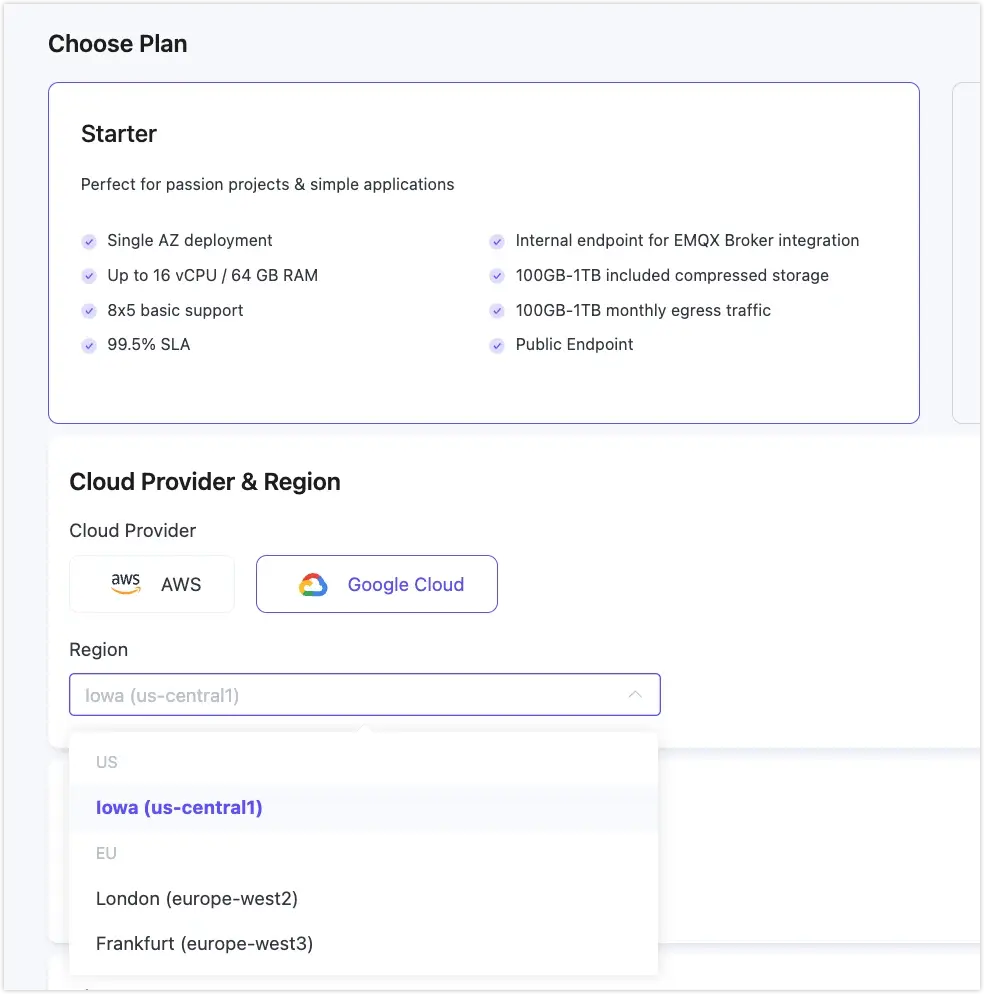
As with AWS deployments, we strongly recommend co-locating your EMQX Tables instance in the same region as your EMQX Broker deployment. When both services run in the same VPC, all data flows over a private network, which improves stability, eliminates public network exposure, and avoids cross-region egress costs.
For a full breakdown of plan specifications and pricing, see EMQX Tables Product Plans.
New Dedicated Flex Region: London (AWS and Google Cloud)
Dedicated Flex is now available in London on both AWS (eu-west-2) and Google Cloud (europe-west2).
This addition gives EU-based teams a low-latency deployment option within the UK, useful for workloads subject to data residency requirements or serving users in the British Isles and Northern Europe.
London joins an already broad Dedicated Flex footprint across AWS, Azure, and Google Cloud, spanning North America, Europe, Asia-Pacific, and the Middle East.
For details on Dedicated Flex billing, supported regions, and included networking features, see Product Plans.
Annual Subscription for NAT Gateway and Internal Endpoint
NAT Gateway and Internal Endpoint (Internal Load Balancer) can now be billed on an annual subscription basis, offering significant savings for long-running deployments.
Billing comparison:
| Service | Hourly Rate | Annual Rate |
|---|---|---|
| NAT Gateway | $0.10/hr | $876/year |
| Internal Endpoint | $0.05/hr | $438/year |
Note: Annual subscriptions for these services are not yet self-service in the console. To switch from hourly to annual billing, first activate the service through the console, then submit a support ticket. The operations team will set up the annual subscription for you.
A few things worth keeping in mind:
- New users receive a 14-day free trial on first activation of NAT Gateway or Internal Endpoint.
- If your deployment is stopped (but not deleted), these services continue to accrue charges. Delete the services if you no longer need them to avoid unexpected costs.
- On Dedicated Flex, NAT Gateway is free of charge.
EMQX Tables Data Explorer: Explain Query
The Tables Data Explorer now includes an Explain Query feature, giving you a detailed look at how your SQL and PromQL queries are executed internally.
If a query is running slower than expected or you want to understand how the engine is planning your request, Explain Query breaks down each execution stage, shows the operator tree, and reports time spent at each step. This makes it straightforward to identify where time is being spent and where a query could be restructured for better performance.
How to use it: Write your query in the Data Explorer, then click the Explain Query button. Results appear in a dedicated Explain tab.
Results are presented in three views:
- Table View
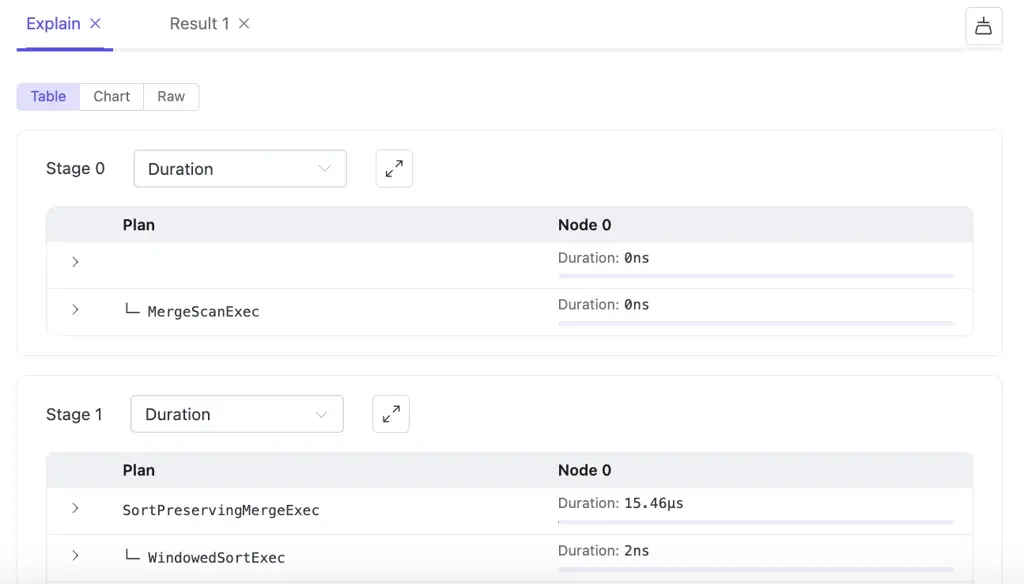
A structured, hierarchical breakdown of execution stages. A metric dropdown lets you examine performance from different angles. In clustered deployments, per-node execution details are shown. - Chart View
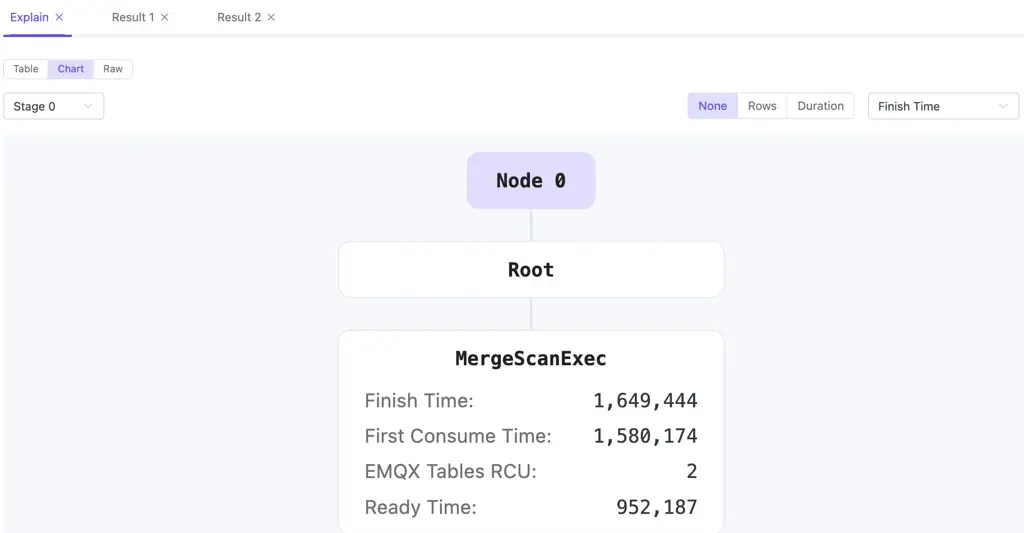
An interactive tree diagram. Click any node to inspect its details. You can set the metric display mode to None, Rows, or Duration to highlight nodes by different characteristics. - Raw View
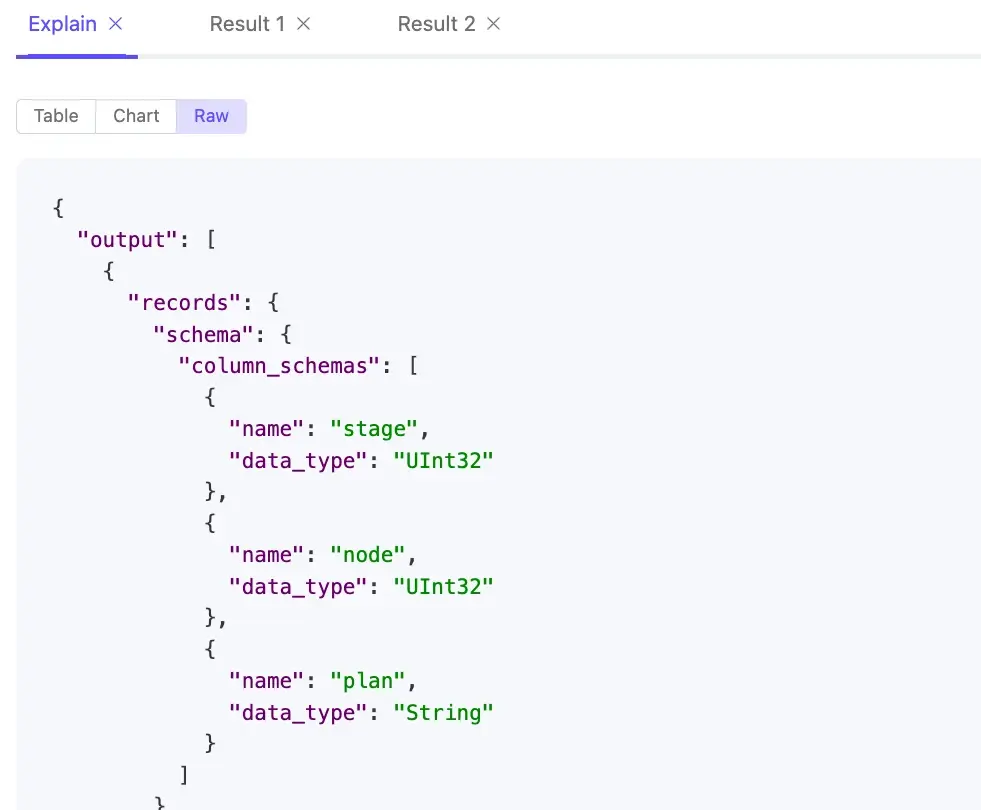
The full JSON API response, useful for detailed analysis or programmatic processing.
Explain Query works with both SQL and PromQL, covering the full range of time-series retrieval and analytics patterns supported by EMQX Tables. For more details, see Explain Query in the EMQX Tables documentation.
Ready to Deploy?
To ensure a seamless transition for your production workloads, some of our newest features, including the NATS Gateway and Annual Subscriptions, are currently being rolled out via our expert operations team.
How to get started:
- Enable New Services: Log in to the console to explore Explain Query or deploy in the London region immediately.
- Request an Upgrade: For NATS Gateway or Annual Billing, submit a support ticket. Our team will handle the backend configuration for you.
- Start Small: New to EMQX? Start your 14-day free trial and explore our full suite of managed services.